
Desktop · 1280px · shown at 0% · edit the text, images and colours in the panel
Form With Image — Free Website Section Template
Forms · v1.0.0 · Updated 2026-11-12 · Responsive · GSAP animation · HTML, React & Vue
Extend with AI
Take This Section Further With AI
Ask an AI assistant to extend the Form With Image: rotate several quotes over the photo, show a video instead of an image or add social sign-in buttons above the fields.
Prompt to recreate it
Copy this into your AI assistant of choice to build the effect from scratch, or as a jumping-off point for your own variant:
Build a split-screen sign-up section in plain HTML and CSS inside one rounded card.

- One half is a figure with a full-bleed image (object-fit: cover, min-height 520px) and a figcaption pinned to the bottom with a gradient behind a quote and its author. A data-side attribute puts the photo on the left or the right.
- The other half has an eyebrow, an h2, a text paragraph and a form with floating-label inputs for name and email (the label sits inside the field and glides up using :placeholder-shown), interest pills (checkboxes styled as chips), a consent checkbox and a primary button.
- Below 820 px the photo becomes a 260 px banner above the form.
- Post with fetch, show success and error messages, include a honeypot field.
Want to tighten it up first? Run this prompt through the AI Prompt Studio to score it across 8 quality dimensions, catch anti-patterns, and tune the wording for Claude, ChatGPT, or Gemini before you paste it in.
What's included
Features
About this section
Form With Image — Free Split-Screen Sign-Up Section
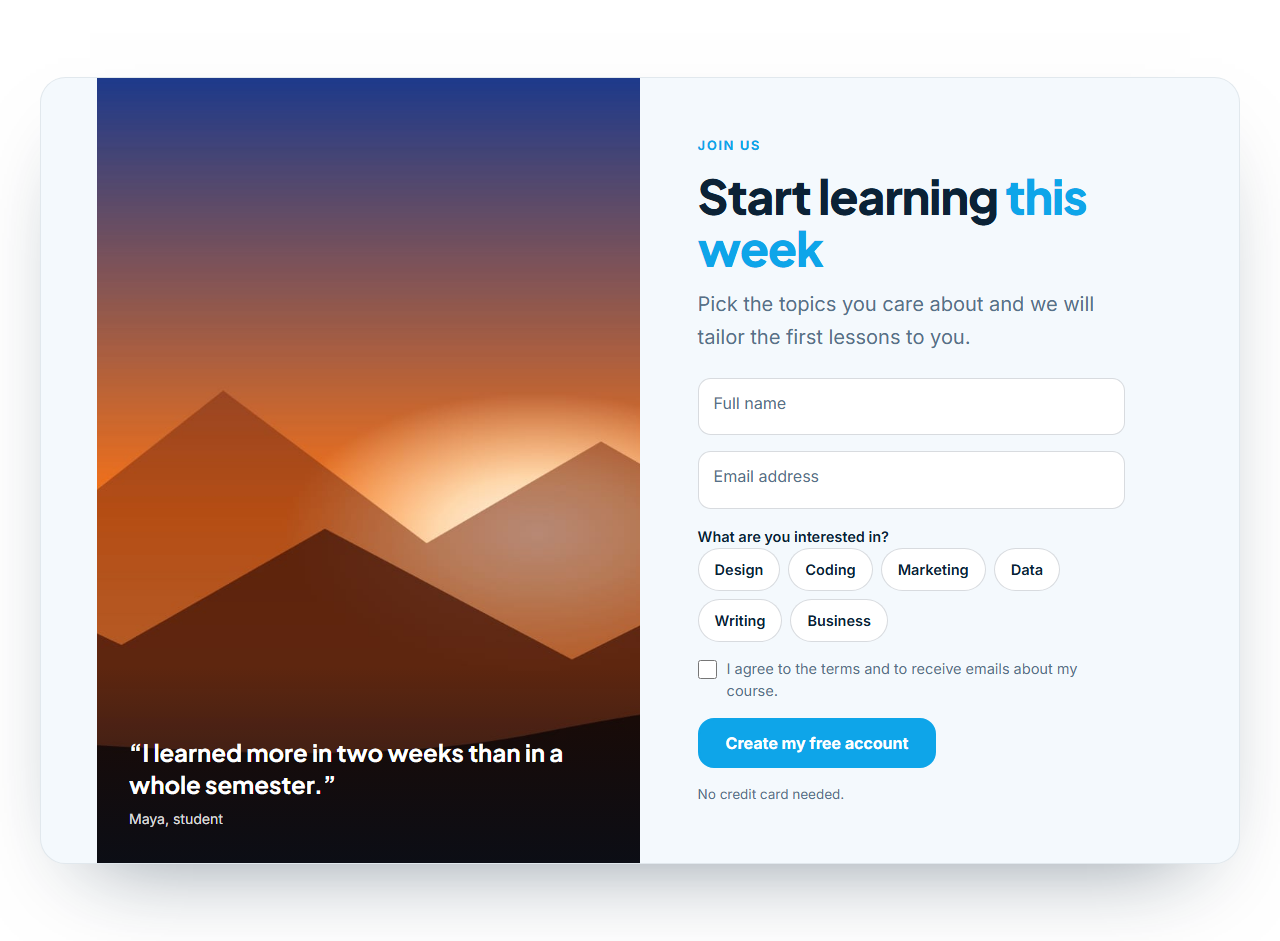
Form With Image is a split-screen sign-up section: a full-height photo with an overlaid quote on one side and a floating-label form on the other. It feels warmer than a bare form, and the photo and testimonial do some of the persuading before the visitor reaches the first field.
The photo does a job
Choose a photo of the people, place or result you offer and add a short quote with an author. A soft gradient behind the quote keeps the text readable on any image. A setting puts the photo on the left or the right, and on small screens the photo becomes a short banner above the form so the fields stay within reach.
A quick, friendly form
The form uses floating labels for name and email, pill buttons for interests (so a course provider can tailor the first email) and a consent checkbox. Everything except the two fields can be removed by emptying its label. Every form posts to the address you paste into "Form URL" (Formspree, Basin, Getform or your own server), shows a success message, shows an error message when something fails and contains a hidden spam-trap field. Without JavaScript it is an ordinary form post.
Good for
Course and workshop sign-ups, webinar registrations, free-trial pages and lead capture where a brand image matters. Pair it with Testimonials lower on the page or the Features section above, and see the Floating Label Form for a version without a photo.
Why use it
Why Use the Form With Image
How it’s different
How It’s Different From Other Free Section Templates
Step by step
How to Use
- 1Edit the contentFill in the heading, photo & quote, labels, interests and form in the panel. Wrap words in *asterisks* to colour them.
- 2Add your imagesUpload your own images (resized in your browser and kept on your device) or paste a hosted image URL.
- 3Match your brandPick a colour preset or exact colours, choose heading and body fonts from Google Fonts or your own uploaded font, set the corner radius and width, or apply your brand kit.
- 4Animate and previewChoose a GSAP entrance effect and speed, press Play animation, and check the section on desktop, tablet and mobile.
- 5Save and exportSave it to My designs, then export a single HTML file, a ZIP with your images, a React or Vue component, or fork it into My Code.
Real-world uses
Common Use Cases
Got questions?
Frequently Asked Questions
In the Photo & quote group choose Left or Right for “Photo side”. The setting is stored in the HTML, so exports keep it.
A portrait or square photo about 1000 by 1300 pixels with some quiet space at the bottom for the quote. It is cropped to fill the side.
Yes. Empty the quote text and the overlay is removed, leaving a clean photo.
No. The pills are optional, and you can remove them by emptying the interests heading.
This one is a split screen with a full-height photo and a quote, built to feel like a landing page. The Floating Label Form has a promises list beside a form card.
It saves an editable copy of your Form With Image in My Code, the UI Snippets code editor: the section markup goes in the HTML panel, its CSS (theme variables, base styles and layout) in the CSS panel, and the GSAP library is added as a CDN link, so you can keep refining the code and save your own versions.
Yes. Every section is free for personal and commercial work, with no account, no watermark and no attribution: export it on its own as HTML, React, Vue or Next.js from its page, or use it in a website you build and export in the Website Builder.